I Rebuilt SpaceMonger for Windows 11
SpaceMonger, the classic 1998 disk-space map, rebuilt from its MIT-licensed source as SpaceWindow: C++20, WinUI 3 and Direct2D for x64 and ARM64, with full-drive scans up to 13× faster.
SpaceMonger has been around since 1998, and it's still one of the quickest ways to see where your disk space went. The catch is its age: it was built for a Windows long gone. It's a 32-bit MFC app that scans on a single thread, looks blurry on high-DPI screens and skips paths longer than 260 characters.
Thankfully, Sean Werkema released the source code for version 1.4.0 under the MIT License (seanofw/spacemonger1).
Meet SpaceWindow
SpaceWindow is a remake written in C++20 with WinUI 3 and Direct2D, for x64 and ARM64, with macOS and Linux versions in the works.
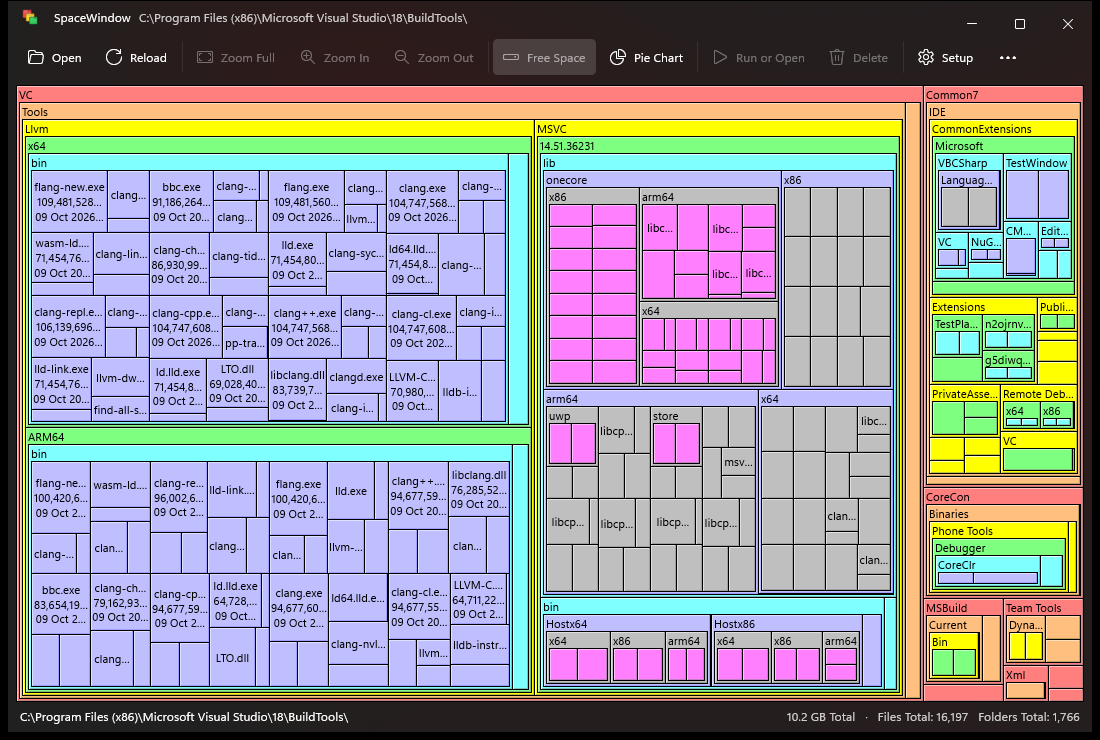
What's new:
- Treemap, pie chart and inverted pie chart views
- As administrator, whole NTFS drives are read straight from the master file table (MFT)
- Reload reads only what changed, using the NTFS change journal or folder watching
- Themes (Windows light and dark, Dracula, Alucard or your own) and optional background animations
- Full keyboard navigation
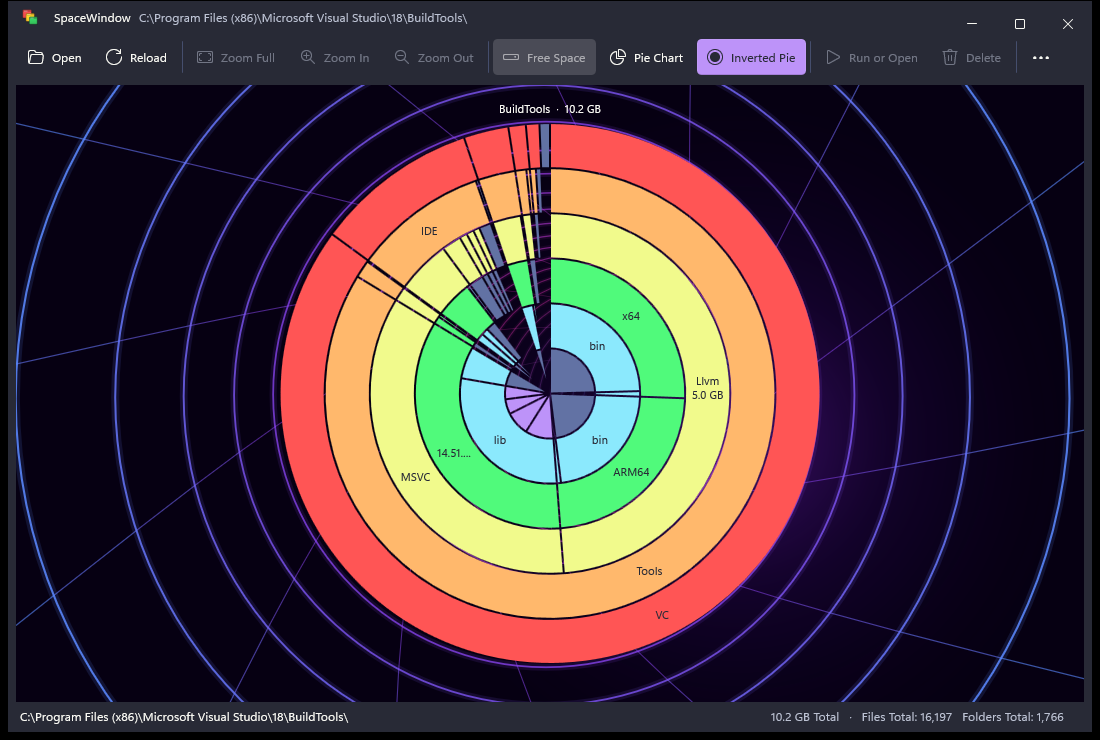
At a glance
| SpaceMonger 1.4.0 | SpaceWindow | |
|---|---|---|
| Runs on | Windows 95, 98, NT | Windows 11 (x64 and ARM64) |
| Language | C++ for Visual C++ 6, ANSI strings | C++20, Unicode throughout |
| User interface | MFC and GDI | WinUI 3 with Mica and Fluent design |
| Drawing | 9-pixel bitmap fonts, stretched on high-DPI screens | Direct2D and DirectWrite at the screen's real resolution |
| Scanning | One thread, recursive | A parallel worker pool; whole NTFS drives from the MFT as administrator; reloads read only what changed |
| Views | Treemap | Treemap, pie chart and inverted pie chart |
| Themes | Windows' colours | Light and dark, Dracula, Alucard and your own |
| Paths | Up to 260 characters | Any length |
| Keyboard | Mouse only | Full keyboard navigation and shortcuts |
| Tests | None | 98 unit tests, drive tests, a UI smoke test, AddressSanitizer and static analysis |
Where the speed comes from
Reading the MFT. As administrator, SpaceWindow doesn't open a single folder. It reads the drive's master file table, where NTFS keeps every file's names, sizes and attributes, in 4 MB blocks with six reads in flight, and decodes each block on four cores while the next ones arrive. The tree is assembled in parallel too, with every hard-linked file counted once, so the whole scan takes little longer than the disk takes to hand over the table: 2.8 million records of 1 KB on my drive.
Reloading only what changed. The NTFS change journal lists every file changed since the last scan, so Reload reads just those files and patches the folders they're in. The tree keeps an index of its folders and large files between reloads, so the work grows with what changed rather than with the size of the drive. If the journal can't tell (it was reset, or too much changed), Reload scans the drive again. Where there is no journal to use (a single folder, a network share, or a scan without administrator rights) the scanned folder is watched from the moment the scan starts, and Reload re-lists only the folders that changed.
Listing folders in parallel. Without administrator rights, a pool of worker threads shares a queue of folders: three for every four cores on SSDs, more on network shares to hide their latency, and only two on spinning disks, where parallel reads would make the heads seek. Each listing returns thousands of entries per system call, along with every file's allocation size and reparse tag, so no file has to be opened. Each folder is totalled and sorted by whichever thread finishes its last sub-folder, so there's no second pass over the tree.
Benchmarks
Both programs scanning the whole of a 1 TB NVMe system drive with 1.94 million files, on a 16-thread Ryzen 9 6900HS with a warm file-system cache, the median of three runs. SpaceWindow is timed from the moment it starts, so its start-up counts against it:
- Full scan as administrator: 32.2 s → 2.5 s (13× faster)
- Full scan as a standard user: 31.0 s → 4.8 s (6.5× faster)
- Scanner alone on
C:\Windows: 4.75 s → 0.445 s (10.7× faster) - Reload after changes: about 0.1 s instead of a full rescan
The trade-off is memory: peak use roughly doubles, 509–606 MB against SpaceMonger's 254–264 MB. SpaceWindow is a 64-bit program that keeps more about each file (its size on disk, and the IDs that hard links and reloads need) and draws with WinUI and Direct3D.
Get it
SpaceWindow is free and open source under the MIT License, available as an installer or a portable zip from the releases page. It needs Windows 11 on x64 or ARM64. The downloads aren't code-signed yet, so SmartScreen may say "Windows protected your PC": choose More info, then Run anyway.
Big thanks to Sean Werkema for the original program and for releasing its source.
Feel free to check it out and send feedback — I'm always looking for ways to improve my work. The full project is on GitHub: TechieAndroid/SpaceWindow, and I also shared it on LinkedIn.